How to Flash your Nokia Phone Using Phoenix Service Software

Nokia Best Tutorial 1
Earlier on Aryk Enterprise blog, we discuss how to use Phoenix Service Software to flash and upgrade Nokia phones, now, we would discuss how to use this handy tool, Nokia Best, BB5 Easy Service Tool to flash and or upgrade any kind of Nokia Smart phones.

This update is intended for those who have purchased the A B C to Mobile Phone Software Engineering eBOOK and the package as a whole. The package contains the teachings and all the tools you need to become a mobile phone software engineer in Nokia, Blackberry And Androids. For the detailed info, visit the package page here or contact us via 0807 788 8311, 0805 593 0701 or aryk.info@gmail.com.
Thanks.

Requirements for Nokia Best, BB5 Tools


In order to make the Nokia Best program to work perfectly on your PC, you need to have the following items ready;
1- A Windows computer preferably running Windows 7. Windows XP SP2 or SP3 is also good for the Nokia best program.
2- Nokia PC Suite: you need to have Nokia PC Suite or better still, the Nokia Ovi Suite, or Nokia Suite installed on your PC. You need to have either of these Nokia programs installed on your PC bacause they contained the drivers necessary for any Nokia phones before any flashing session.
3- The correct flash files/firmware for any Nokia phone you wish to flash. The upgraded flash files/firmwares are prefered.
4- A compatible USB Cable or FLS device for that particular Nokia phone.
5- Finally, Nokia Best, BB5 Easy Service Tools program on your PC.

How to Flash A Nokia Phone Using Nokia Best, BB5 Tools


To flash a Nokia phone using Nokia Best, BB5 Easy Service Tool should now be very easy if you have gotten all the items mentioned above, all you know have to do is follow the guides below:

1- Lunch the Nokia Best, BB5 Easy Service Tool on your PC. Remember! You need to have put all the correct Nokia phone's flash files or firmwares in a folder. You may use the same folder as phoenix service software or set up another folder for the Nokia Best program.

2- Now, set up the Nokia Best program as seen in the images below, starting from the image N0 1.

3- Select the model number of the Nokia phone you wish to flash from the model list. NOTE: The Nokia phone's RM-Number represents the phone's model in the Nokia Best program. Simply select the correct RM-Number for the phone e.g RM-561 for the Nokia 2700.

4- Right below the Model list, you will see MCU, PPM1, PPM2, CNT1, CNT2, CNT3 boxes, simply click on each of them. And on each click, a window pops up, navigate to the folder where you save all the flash files or the specific flash files for the phone you wish to flash then; open the folder. The exact file for the box you have clicked would be displayed to you, simply double-click to select it.

5- Remember to check the Use Ini, Manual, DeadMode, boxes and remember to change the flash settings to FullFlashing on the image before you begin flashing.

6- Now, connect the phone you wish to flash to the PC using the compatible USB Cable or FLS device then; click on the Red FLASH icon.

7- After few seconds, Nokia Best asks you to Connect the phone to the interface, simply remove the phone's battery and re-insert it then, press the phone's power button just once. Nokia best should now see the phone and the flashing process should now commence fully.

You may also Check this Facebook Album where we publish pictorial illustrations of the flashing process using Nokia Best, BB5 Easy Service Tools

If you have any questions or opinions to share, simply use the Comment box below. For info on how to get the A B C Package, use the Contact Us widget by the sidebar to contact us.


For any comments or questions over this article please, use the comment box bellow or contact us Via This Link. And if your questions is not about this article and needs our help over something related, Find Us on Facebook. Got any other info you want us discuss? Share it with us using the comment box or contact us!

How to Recover your BlackBerry Device from Update/Upgrade Errors or Failure

In most cases, after upgrading or updating some BlackBerry phones, there use to be some strange developments like the inability to connect to radio service (Network), longer boot-up time, hanging problems amongst others.

 Withing this page, you shall get to know some common causes of these problems and how to overcome them. Just read further on.

Why Upgrade or Update BlackBerry Phone?

Well, more often than not, it is better to update or upgrade your BlackBerry phone as that would give your BlackBerry phone a very brand new look. In most cases, BlackBerry updates and upgrades come with more apps, good functionalities and better user experiences therefore, updating or upgrading your BlackBerry phone is not a bad idea at all!

BlackBerry Update Possible Problems

After updating or upgrading your BlackBerry device, you might begin to notice some strange developments on the phone. Strange developments like;
1- The Blackberry phone fails to connect to the radio service (Network).
2- Some times, when you try to switch the radio service on, the Blackberry phone reboots.
3- The phone begins to hang up amidst certain operations.

Solving the Problems

1- By Reloading the Blackberry Device:
All the above and some other strange experiences you might notice after upgrading or updating your Blackberry device could be resolved by reloading the Blackberry device to an earlier version or the same version but using different OS version.
2- Carrier Check:
It is very possible that the device behaves abnormally if the carrier or vendor of the OS you have loaded on the device is different from the original vendor.
And to correct this, you need to reload the device using AppLoader without the vendor.
For detailed info on how to do this, click How to Load Another Carrier's or Vendor's OS on Your Blackberry device.

For any comments or opinions, kindly use any of the comment boxes below:

Share And Interact Using the Buttons Above

How to Install Another Carrier's or Vendor's Firmware on Your Blackberry Device

As popular and special as it is, it is now becoming more common with Blackberry to produce specific device for specific carrier like T-mobile, Vodafone, O2, Visafone, MTN amongst others, meanwhile, when ever you need to upgrade or update the Blackberry device produced for a specific carrier, you have to do that using the same firmware produced for your carrier and that's mostly difficult especially; if the firmware update for your carrier or vendor is not yet available.


Even so, as each carrier has its own special specifications, you might like a Blackberry Bold 9700 produced for T-mobile than the same Bold 9700 produced for Visafone and as a result of this, you might want to switch to another carrier of your choice.

Within this page, you shall learn how to update, upgrade or switch your Blackberry device to another carriers' (e.g.from MTN to O2).

How to Install Another Carriers' Firmware on your Blackberry Device


Follow the steps below to upgrade or update your Blackberry device:

1. If you do not have Blackberry Desktop Manger installed on your PC, download and install the Blackberry Deskop Mnager from this link.
2. Download and install the latest firmware update for the carrier you wish to install on your Blackberry device onto a PC running BlackBerry Desktop Software 6.
3. Go into c:\Program Files\Common Files\Research In Motion\Apploader and delete the vendor.xml file. (From within the AppLoader folder, press "V" to easily get the vendor.xml file
4. Disconnect your PC from the internet (e.g. unplug the network cable or your modem)
5. Open desktop Manager and connect your device
6. Follow the prompts to upgrade your device

Or, alternatively, you may upgrade your Blackberry device using Blackberry AppLoader. From the step 4 above, go back to step 3 then, click on Loader after deleting the vendor.xml file.

The rest of the process shall be handled by the app loader.

Good luck.


Share And Interact Using the Buttons Above

MTN Java App Now Available for Download By MTN Subscribers

mtn java appWith a view to making customer experiences with MTN Nigeria more easier, lively and fun, MTN Nigeria now make available a Java app that can be downloaded by each subscriber free of charge.

With this new MTN Java app installed on your phone, you can do so much more with your MTN SIM while on the go! You can recharge your MTN SIM straight from within the app, check your logs and do a whole lots of other things.

And most importantly, you can retrieve your lost, stolen or damaged MTN SIM Cards using this MT Java app on your phone.

How to Download the App


To download this MTN Java mobile application on your phone, simply send "CARE" in a text message to "5018" using any MTN SIM card.

Once sent, an SMS would be sent to the SIM as response. The message would contain a download link from which you can downlad the Java application to your phone.

For details info about this Java App, you may call the MTN Nigeria selfcare line on 181.


Share And Interact Using the Buttons Above

Five Ways to Work Out Your Plans For this Year

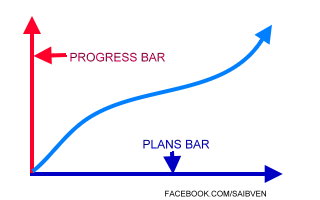
plan tableThe first two halves of the first month of this new year are gone and the last quarter is about its end so, what have you achieved so far? Or, what do you aim to achieve?


Remember, on the first of this new year, Aryk Enterprises compiled a note "Quick Note" for our fans while using that medium to say happy new year to our fans and customers meanwhile; within the note, we promised that we shall discuss how to make the most out of this new year that which we shall discuss within this article.

At the start of anything, a plan is always the first thing that's important then, starting to work in the direction of the plan. The plan you have for this year, I believe should be what you expect to achieve. In the other way round, it should be what you are expected to working towards achieving.

If you have had a great plan then, working in the direction to achieving your set goals is what you need inspiration over and inspiration could come from anywhere or anything; just be attentive. Look carefully and see in anything, what others cannot see.

Remember,
"Opportunity is hidden in every moment we spend in life, only the fortunate ones realize it"

Five Pinpoints that Can Help you Set or Work Out Your Plans


Well, like we have said earlier that "If you have had a great plan, working in the direction to achieving your set goals is what you need inspiration over and what inspires you most is in the way you thread -because this is what inspires others to inspire you!"

As I often say; "Setting up a plan is not as important as setting on it."
So, are you prepared to set on your plans? Well, let's quickly out-list the five points that can help you set out and set on a good plan.

1- A plan that is much less to achieve is too big to set
Before you agree on setting up a plan, do a reasonable case-study work. At least, it is obvious that it is crazy for someone whose daily net earnings is N1,000 and is planning to build a house worth N1,000 000 before the month ends. Such plan is much less to achieve and therefore; it is too big to plan.

Though, a serious minded person can achieve crazy things but, such must work on how to improve the daily net earnings to a level before aiming such crazy things.

2- Leave the unachievable for their time to come
Sometimes, we do have to leave somethings for another before another works. If you have to make something work and it's not working out, leave it for the time being and queue it down your list. Don't let that spoil your mood and work on the others then, bounce back on it later.

3- Clusters of rainbow may look beautiful to view but, too difficult to figure out
If you have to set on so many plans at a time, it has to be one after the other. You should not work on two plans at a time if the two must stand firmly, at least, it rarely happens that way.

4- Time your time before your time times you out untimely
In life, time is the only capital every human being has. Either you are rich or poor, you have the time to spend. Take your time to spend your time wisely because as it is, time is the only capital that cannot be recovered once lost.

5- A plan that is worth setting up worth setting on
And lastly, you should try to make "It's either now or never" one of your principles. If you have a plan that you have set up then; such plan is worth setting on.
Set on your set plans as early as before they depreciate. Because, the plan you see also expires.

GOOD LUCK!


Share And Interact Using the Buttons Above

Dica – Película caseira Para Todos Os Aparelhos

Tava na internet como sempre e ví esse video no youtube muito interessante, e bem feito 100% funcional,
Dica Película caseira
A dica mas fácil do mundo cri sua película para qualquer aparelho de android a iphone de iphone a aparelhos antigos como nokia rsrsrs vejam e aprendam,


Super video com pouquissimos minutos do seu tempo voce proteje seu aparelho e ao mesmo tempo economiza uma graninha rsrsrsrsrs.


Mateirais:
1- tesoura
2- papel filme trasparente (aquele de cozinha pede pra sua mãe)
3- pano ou lenço
4- e pronto.

Tutorial – Aumentando a memória do galaxy y e outros

Este já foi testado no galaxy y e funcionou perfeito creio que apenas (funcionara em aparelhos da samsung) de outros fábricante não sei.
Tutorial Aumentando a memória do galaxy y
Uma das grandes desvantagens do galaxy y s5360b é sua memória interna. Enquanto você vai utilizando seu aparelho e instalando e desinstalando aplicativos se aparelho vai gerando registros ao qual ficam dentro da memória interna de seu aparelho. Neste tutorial ensinarei a apagar estes registros.


Este metodo não irá aumentar a memória do seu aparelho gigantescamente apenas irá excluir arquivos inúteis do sistemas.


Tutorial preste atenção:
1- digite o número *#9900# como se você fosse fazer uma chamada,

2- Clique em copy to sd (cuidado não clique em outra coisa não faço
a mínima
idéia do que ocorra.se forem em outro podem danicficar o aparelho )
espere um pouco e pronto, Você liberá uma certa quantia de megabytes em seu android.


testado e aprovado no Samsung galaxy Y.

Tutorial mega simples, mas cuidado.